
Pabbly Connect: review, pricing and alternatives
What is Pabbly Connect?
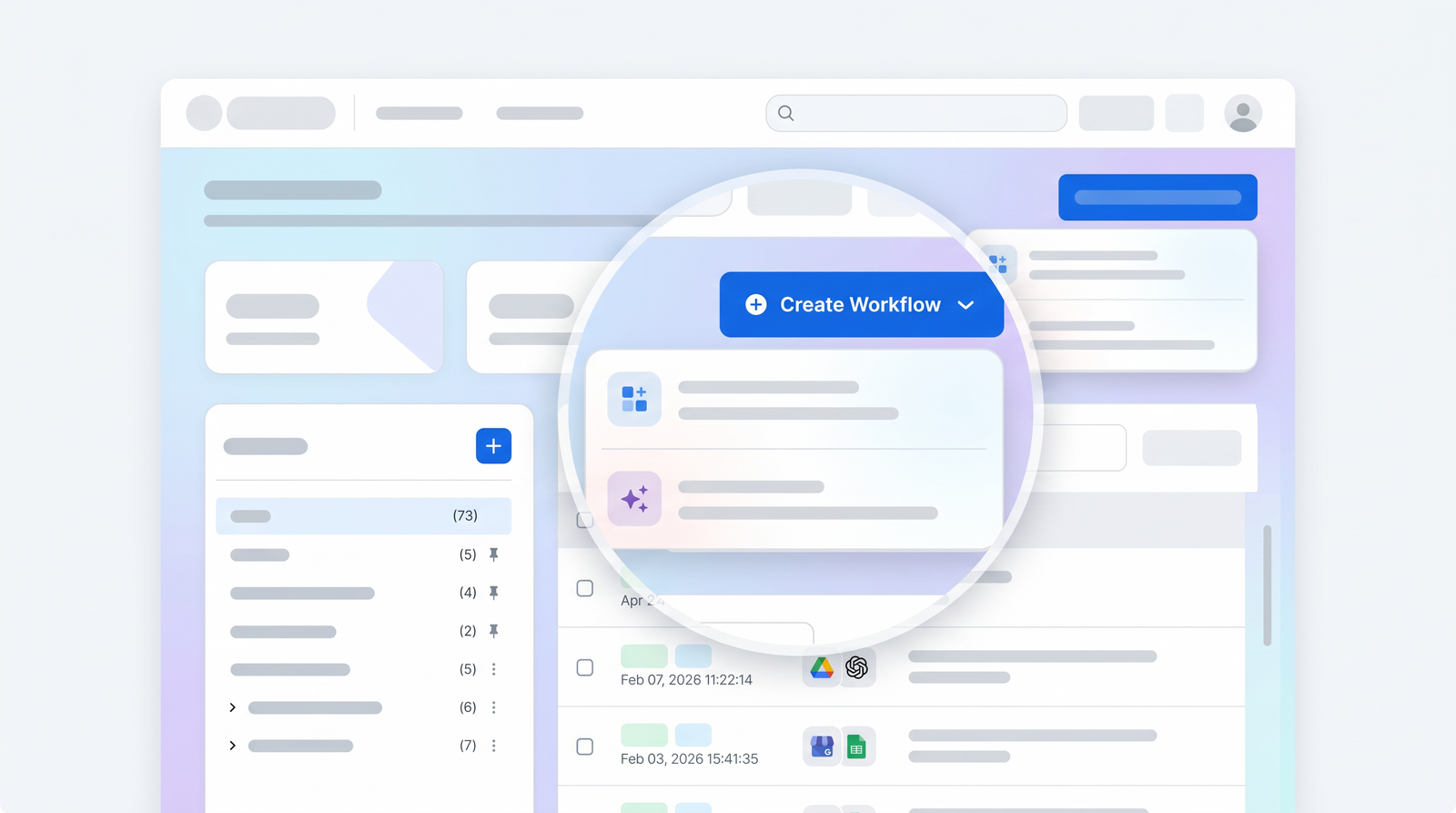
When I first ventured into the world of workflow automation, I was looking for something that could bridge the gap between my various online tools without demanding a computer science degree. That's precisely where Pabbly Connect steps in. At its core, Pabbly Connect is a no-code AI workflow automation tool designed to connect different web applications and automate tasks between them. Think of it as the digital glue that holds your scattered online services together, making them talk to each other seamlessly.
Its primary function is to eliminate repetitive manual work by setting up automated sequences, often referred to as 'workflows' or 'integrations.' For instance, if you want every new lead from your website form to automatically populate a row in a Google Sheet and then send a notification to your team on Slack, Pabbly Connect can orchestrate that entire process without you lifting a finger after the initial setup. It's built for those who need efficiency but might not have the budget or technical expertise for custom development or more expensive, enterprise-level solutions.
The platform primarily targets solopreneurs, small to medium-sized businesses, and anyone looking to streamline their digital operations. It’s particularly appealing to those who use a variety of SaaS tools daily but find themselves constantly copying and pasting data or manually triggering subsequent actions. If you've ever thought, "There has to be a better way to do this," Pabbly Connect is likely one of the answers you've been searching for.
Key Features and Capabilities
Pabbly Connect might not have the flashiest interface compared to some of its competitors, but what it offers in terms of core functionality is robust and highly practical. When I started exploring its capabilities, I found its feature set to be surprisingly comprehensive for its price point. At the heart of it are its multi-step workflows, allowing you to chain together numerous actions from a single trigger. This means an event in one app can kick off a complex series of tasks across several other applications, which is incredibly powerful for automating entire business processes.
One of the features I rely heavily on is its support for webhooks. This is crucial for connecting with applications that might not have a direct, pre-built integration. If an app can send a webhook, Pabbly Connect can receive it and initiate a workflow, significantly expanding its integration potential beyond the already impressive list of over 2,000 pre-integrated apps. Additionally, features like delays allow you to pause a workflow for a specified period, which is useful for timed follow-ups or drip campaigns, and email parsing lets you extract specific data from incoming emails to trigger actions.
However, it's important to set expectations. While Pabbly Connect excels at rule-based, trigger-action automation, it does not offer advanced AI decision-making logic. You won't find features that allow the platform to interpret natural language, make complex inferences, or dynamically adapt workflows based on nuanced conditions without explicit, pre-defined rules. Its strength lies in executing clearly defined instructions, not in artificial intelligence that learns or makes independent judgments. This distinction is vital, especially if you're coming from a mindset of expecting AI-driven workflow optimization.

How Pabbly Connect Works: Building Automations
Building an automation in Pabbly Connect is remarkably straightforward, even for someone like me who prefers to avoid code whenever possible. The platform boasts a clear, no-code, drag-and-drop interface that makes the process intuitive. When you want to create a new workflow, you start by defining a 'trigger' – this is the event that kicks off your automation. It could be a new form submission, a new row added to a spreadsheet, or an email arriving in your inbox. Once the trigger is set up, you then add 'action' steps, which are the tasks Pabbly Connect will perform in response to that trigger.
What I particularly appreciate about Pabbly Connect’s design is how it handles internal steps. Unlike some competitors, Pabbly Connect has a very generous policy: internal steps like filters, routers, and delays do not consume task counts. This is a game-changer for cost-efficiency. A 'filter' step, for example, allows you to specify conditions under which the workflow should continue (e.g., only process leads from a specific country). A 'router' lets you send data down different paths based on various criteria, creating branching workflows. The fact that these essential logical steps don't count towards your monthly task allowance means you can build far more complex and refined automations without quickly hitting your usage limits.
The visual builder allows you to connect these steps with ease, testing each one as you go to ensure data flows correctly. You map data fields from one application to another, ensuring that, for instance, the 'Name' field from your form correctly populates the 'Customer Name' field in your CRM. This clear, step-by-step approach, combined with the generous task counting, makes Pabbly Connect a powerful tool for crafting efficient and budget-friendly automations.
Pabbly Connect Pricing and Plans
One of Pabbly Connect's most compelling arguments, and frankly, what initially drew me in, is its pricing model. In a landscape where automation tools can quickly become prohibitively expensive as your usage scales, Pabbly Connect stands out for its affordability and value. They offer monthly subscription plans, but their claim to fame, and what many users like myself flock to, is the availability of lifetime deals. These deals allow you to pay a one-time fee for a substantial number of tasks per month, effectively eliminating recurring subscription costs for a core business function.
The task consumption model is another area where Pabbly Connect provides significant value. As I mentioned earlier, only action steps count towards your monthly task limit. Triggers and all internal logic steps (filters, routers, delays) are free. This is a crucial distinction from many competitors that count every single operation, including internal steps, as a task. This means that with Pabbly Connect, you can often execute three, four, or even more times the number of actual workflow executions compared to a platform with a similar stated task limit but a different counting methodology. This generous allowance makes a huge difference for small businesses and solopreneurs operating on tight budgets.
While exact pricing can fluctuate with promotions, the general structure is designed to offer high task allowances at a low cost. For example, I've seen plans offering 10,000 tasks per month for around $16 when billed annually. The lifetime deals are particularly attractive for long-term users, offering a significant upfront saving. This focus on providing abundant tasks without breaking the bank is a core part of Pabbly Connect's appeal.
| Plan | Price (approx.) | Best for |
|---|---|---|
| Standard (Monthly) | $25/month for 12,000 tasks | Small teams starting out, flexible usage |
| Standard (Annual) | $16/month (billed annually) for 10,000 tasks | Budget-conscious small businesses, consistent usage |
| Lifetime Deal (Tier 1) | $249 (one-time) for 3,000 tasks/month | Solopreneurs, very light automation needs, long-term savings |
| Lifetime Deal (Tier 2+) | Varies (one-time) for higher task limits | Growing businesses, significant automation needs, maximizing ROI |

Pros of Using Pabbly Connect
Having used Pabbly Connect for a while now, I can confidently point to several significant advantages that make it a compelling choice for many users. The first and most obvious benefit is its affordability. In a market dominated by tools that scale their prices aggressively with usage, Pabbly Connect offers a breath of fresh air. This is particularly true when you consider the value of their lifetime deals, which allow you to lock in a substantial number of tasks for a one-time payment. For a solopreneur or a small business, this can translate into considerable long-term savings.
Coupled with the low cost are the incredibly high task allowances, made even more generous by their task counting methodology. The fact that internal steps like filters and routers don't consume tasks means your stated task limit goes a much longer way than it would on other platforms. This allows for more complex automations without the constant worry of hitting a paywall or exceeding your plan. I’ve found this liberates me to experiment and build more intricate workflows without fear of escalating costs.
Furthermore, I've found Pabbly Connect to be remarkably user-friendly. The drag-and-drop interface, as I've mentioned, makes it accessible even for those without technical skills. You don't need to write a single line of code to get powerful automations up and running. Finally, its broad integration support, with over 2,000 pre-built apps and robust webhook capabilities, means you can connect virtually any tool in your tech stack, ensuring your automations aren't limited by compatibility issues.
- Exceptional affordability and value, especially with lifetime deals.
- Generous task allowances and a fair task counting methodology.
- User-friendly, no-code drag-and-drop interface.
- Extensive integration library (2,000+ apps) and webhook support.
- Continuous development and feature updates.
Cons and Limitations
While Pabbly Connect offers undeniable advantages, it’s crucial to approach it with a balanced perspective. My experience has shown me that while it excels in certain areas, it also has its limitations. One recurring sentiment I've encountered, and to some extent agree with, is that the platform feels optimized for cost over user experience. While functional, the interface isn't always as polished or as intuitively designed as some of its higher-priced competitors. It gets the job done, but sometimes you might find yourself navigating a few more clicks or a slightly less aesthetically pleasing layout than you'd prefer.
Another significant limitation, as highlighted earlier, is the absence of advanced AI decision-making logic. If your automation needs involve sophisticated conditional reasoning, natural language processing, or dynamic adaptation based on complex data analysis, Pabbly Connect's rule-based approach might feel restrictive. It's excellent for 'if X, then Y' scenarios, but less so for 'if X, and Y is interpreted as Z, then dynamically decide between A, B, or C based on current market trends.' For truly intelligent automation, you'd need to look elsewhere or integrate a separate AI service.
Finally, for mission-critical workflows, I've had moments of hesitation. While Pabbly Connect is generally reliable, any cloud-based service can experience occasional hiccups. For automations where a single failure could have severe business consequences (e.g., processing financial transactions, critical customer communications), the slightly less polished nature and the focus on cost efficiency might lead some to question its absolute resilience compared to enterprise-grade solutions. It's a decent tool, but for absolute peace of mind in high-stakes scenarios, some might prefer platforms with more robust support and uptime guarantees, or at least a more established reputation for handling extreme loads.
Pabbly Connect vs. Alternatives (Zapier, Make)
When you're shopping for an automation tool, Pabbly Connect invariably comes up in comparison with giants like Zapier and Make (formerly Integromat). My personal take is that each serves a slightly different niche, and understanding these differences is key to choosing the right tool for you. The most striking differentiator is undoubtedly cost-efficiency. Pabbly Connect consistently wins on price, especially when you factor in its lifetime deals and generous task counting. For the same budget, you'll typically get a much higher task allowance with Pabbly Connect than with Zapier or Make, whose costs can escalate quickly as your automations become more complex or frequent.
However, this cost-effectiveness often comes with trade-offs. Zapier, for instance, is renowned for its sheer number of integrations and its extremely user-friendly interface. It's often the easiest to get started with for simple, single-path automations. Make, on the other hand, excels in advanced features and visual complexity. Its scenario builder is incredibly powerful for intricate, multi-branching workflows, offering a level of control and visual representation that Pabbly Connect doesn't quite match. You can see how it stacks up against alternatives on Top10k when considering your options.
Where Pabbly Connect truly shines in comparison is for users who need significant automation power without the premium price tag. If you're a solopreneur or a small business needing to automate dozens or hundreds of tasks daily but can't justify Zapier's escalating costs or Make's steeper learning curve for advanced features you might not need, Pabbly Connect is an excellent middle ground. It provides robust functionality without the frills, focusing squarely on getting your automations done affordably. While Zapier and Make might offer a more polished user experience or more advanced workflow logic, Pabbly Connect provides the essential automation engine at a fraction of the cost, making it a strong contender for budget-conscious users.
Ease of Use and Learning Curve
One of the aspects I genuinely appreciate about Pabbly Connect is its commitment to accessibility. From the moment I first logged in, the user-friendly interface made it clear that this tool was designed for people who might not have a technical background. The core concept of 'trigger' and 'action' is presented in a very straightforward manner, and the visual flow of building an automation makes it easy to follow your logic from start to finish.
The drag-and-drop functionality is a key enabler here. You simply select the app you want to use, choose an event, and then connect it to another app and its corresponding action. Mapping data between steps is intuitive, with clearly labeled fields that help you understand where your information is going. There’s no need to wrestle with APIs or write custom code; Pabbly Connect abstracts away all that complexity, presenting a clean, guided experience.
For users without technical skills, the learning curve is surprisingly gentle. While setting up your very first multi-step workflow might take a little time to grasp the flow of data, the platform provides ample documentation and video tutorials that walk you through common scenarios. I found that after building just a couple of automations, the pattern became very clear, and I could confidently tackle more complex tasks. It strikes a good balance between providing powerful features and ensuring they are accessible to a broad audience, making it an excellent starting point for anyone new to workflow automation.
Who is Pabbly Connect Best For? Use Cases
Based on my experience, Pabbly Connect shines brightest for specific user profiles and automation needs. It's unequivocally best for solopreneurs, small businesses, and budget-conscious users who require robust automation without the premium price tag. If you're running a lean operation and every dollar counts, but you still need to automate repetitive tasks to save time and improve efficiency, Pabbly Connect is tailored for you. It's also ideal for those who are new to automation and want a powerful yet accessible tool to get started without a steep learning curve.
Let me give you a few concrete examples of how I've seen Pabbly Connect make a real difference. One common scenario is automating lead management: imagine a new lead fills out a form on your website (the trigger). Pabbly Connect can then automatically add that lead's details to your CRM, send a personalized welcome email via your email marketing tool, and even post a notification in your team's Slack channel. This saves hours of manual data entry and ensures timely follow-ups.
Another practical use case involves data synchronization: I've used it to automatically collect Google My Business reviews and log them into a Google Sheet for analysis and tracking. This eliminates the need to manually check and copy reviews. Similarly, for e-commerce, you could set up a workflow where a new order in Shopify (trigger) automatically creates an invoice in your accounting software and updates a customer database. Pabbly Connect empowers users to connect their disparate tools and create seamless operational flows, making it an indispensable asset for anyone looking to optimize their digital workflow without overspending.
Final Verdict: Is Pabbly Connect Worth It in 2026?
After spending considerable time with Pabbly Connect, building and refining various automations, my final verdict is a resounding yes for its target audience. In 2026, Pabbly Connect continues to offer an exceptional value proposition, primarily driven by its affordability, especially through its lifetime deals, and its generous task allowance model. For solopreneurs, small businesses, and individuals who need powerful, reliable automation without the escalating costs associated with many other platforms, Pabbly Connect is not just worth it; it's arguably one of the best options available.
Its strengths lie in its ability to connect over 2,000 applications, its user-friendly drag-and-drop interface, and the fact that internal workflow steps don't consume tasks, making your budget go much further. While it may not offer the most polished user experience or the advanced AI decision-making capabilities of some competitors, it consistently delivers on its promise of efficient, rule-based automation. If your needs are centered around connecting apps and automating repetitive, clearly defined tasks, it performs admirably.
Ultimately, Pabbly Connect represents a suitable automation solution for those who prioritize cost-effectiveness and functional efficiency over bleeding-edge AI or a hyper-premium user interface. If you're looking to eliminate manual busywork, streamline your operations, and free up valuable time without breaking the bank, I wholeheartedly recommend giving Pabbly Connect a serious look. It's a workhorse that reliably gets the job done, and for many, that's exactly what's needed.
Full profile and live ranking: https://top10k.com/ai/pabbly-connect
Published by

Top10k Tools is an all-in-one online toolkit providing over 4,000 handy web tools that help save time on routine tasks.
The platform covers content optimization, image processing, programming, calculations, and workflow tasks. All tools are free and browser-based, so you can start in seconds.
The long-term vision is reaching 10,000 useful web tools people actually need.
For anyone who works online, Top10k Tools has something useful. Start using the tools today.
Frequently asked questions
What is Pabbly Connect's main advantage over competitors like Zapier?
Pabbly Connect's primary advantage is its exceptional cost-efficiency, particularly through its lifetime deals and a generous task counting model where internal steps (filters, routers) do not consume tasks. This allows users to build more complex automations for a significantly lower price than many alternatives.
Does Pabbly Connect offer a free plan?
While the research doesn't explicitly state a free plan, Pabbly Connect often provides trial periods or a limited free tier to test its functionalities. However, its main value proposition lies in its affordable paid plans and lifetime deals, which offer substantial task allowances.
Can Pabbly Connect handle complex, multi-step workflows?
Yes, Pabbly Connect is designed to handle complex, multi-step workflows. Its drag-and-drop interface allows users to chain together numerous actions from a single trigger, incorporate delays, and use filters and routers to create branching logic, all without consuming extra tasks.
Is Pabbly Connect difficult to learn for non-technical users?
No, Pabbly Connect is remarkably user-friendly and has a gentle learning curve. Its no-code, drag-and-drop interface and intuitive trigger-action workflow structure make it accessible for users without technical skills. Ample documentation and tutorials further aid in the learning process.
Does Pabbly Connect support AI decision-making?
Pabbly Connect does not offer advanced AI decision-making logic. It excels at rule-based, trigger-action automation, meaning it executes pre-defined instructions. It cannot interpret natural language, make complex inferences, or dynamically adapt workflows based on nuanced, AI-driven conditions.
What kind of businesses is Pabbly Connect best suited for?
Pabbly Connect is best suited for solopreneurs, small to medium-sized businesses, and budget-conscious users who need robust workflow automation. It's ideal for those looking to streamline operations, automate repetitive tasks, and connect various SaaS tools without incurring high recurring costs.
Are there any concerns about Pabbly Connect for mission-critical tasks?
For mission-critical workflows where absolute reliability and immediate support are paramount, some users might have concerns. While generally reliable, its optimization for cost over a premium user experience might lead to hesitations compared to enterprise-grade solutions with more robust guarantees for high-stakes scenarios.